
Changing your email in ConDoc is very simple and only takes a few minutes!
Steps:
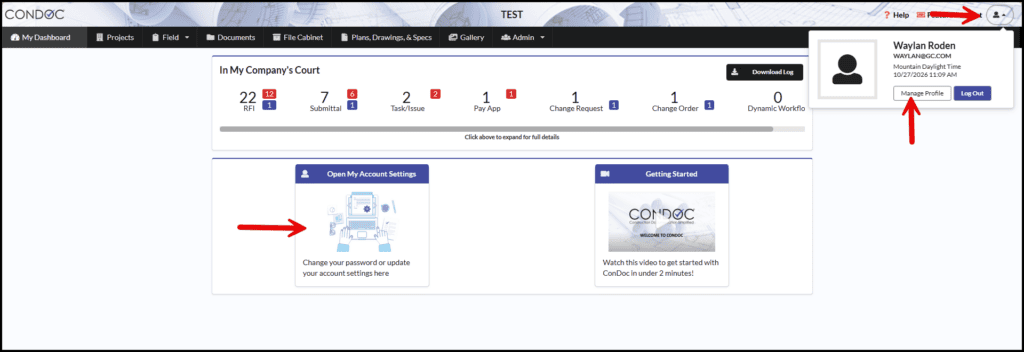
1. Navigate to your account page.
You can do this by clicking on the person icon in the upper right hand corner and selecting Manage Profile. You can also click on the Open My Account Settings box located on the Dashboard.
2. Type in your new or updated email address. Click on Save changes when you are finished.
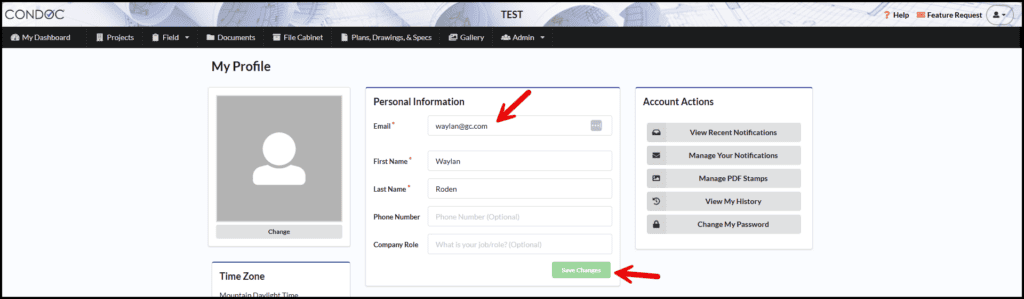
- Once you have updated your email, that is the email you will be logging in with!