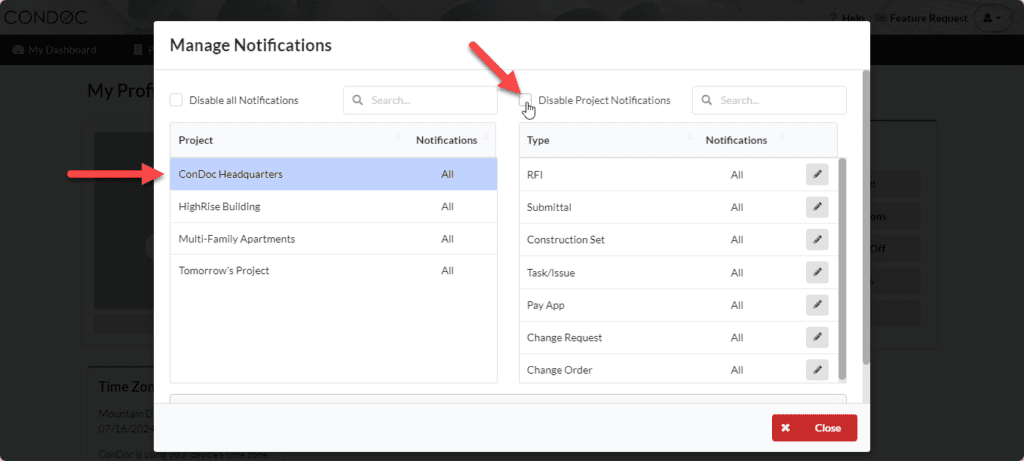
Disabling all project notifications will make it so you do not receive any notifications. This will only disable notifications for you. Each user can manage their notifications at any time.
Step One
Click on your profile drop down in the top right hand corner and select Manage Profile:

Step Two
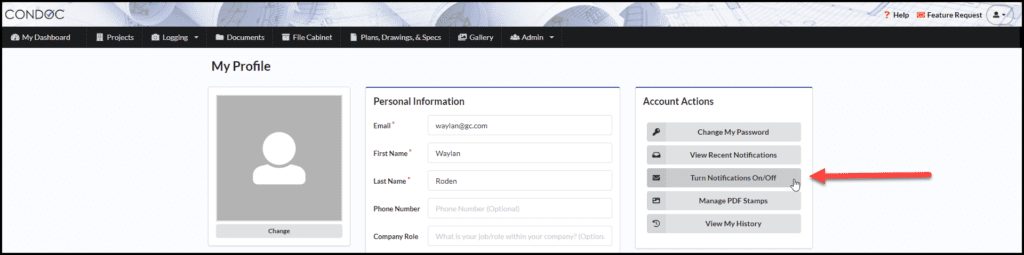
Under the Account Actions section, click on Turn notifications on/off:
Step Three
Select the project you would like to disable notifications for by clicking on the project name. Then click on Disable project notifications: