Step One
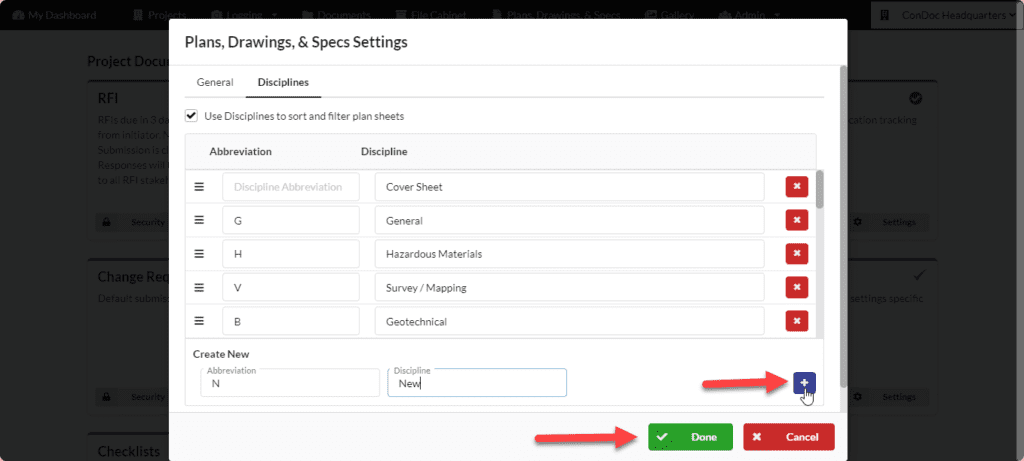
Navigate to Admin > Project Admin
Step Two
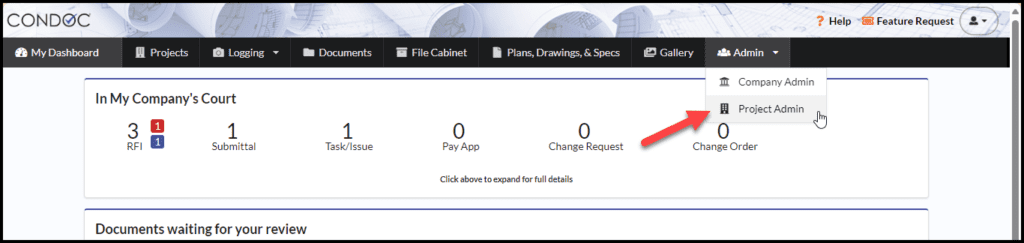
Scroll down to the Project Documentation Settings.
Under the Plans, Drawings and Specs box, click on Settings
Step Three
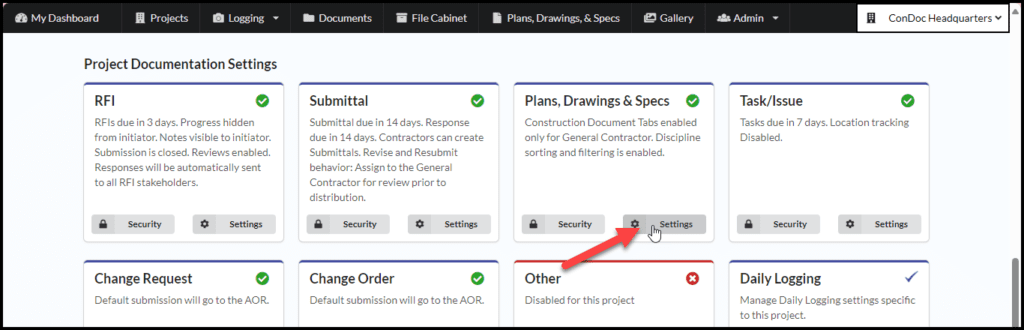
Click on Disciplines
Step Four
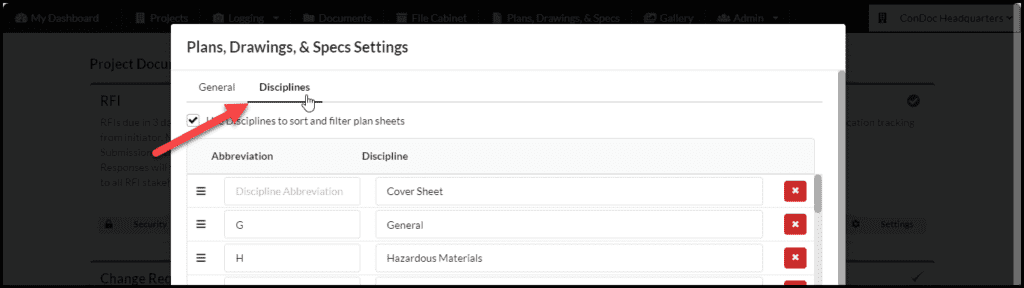
To edit a discipline, simply select the field you would like to edit and make the desired changes.
To delete a discipline, click on the red trash can button next to the discipline you no longer want
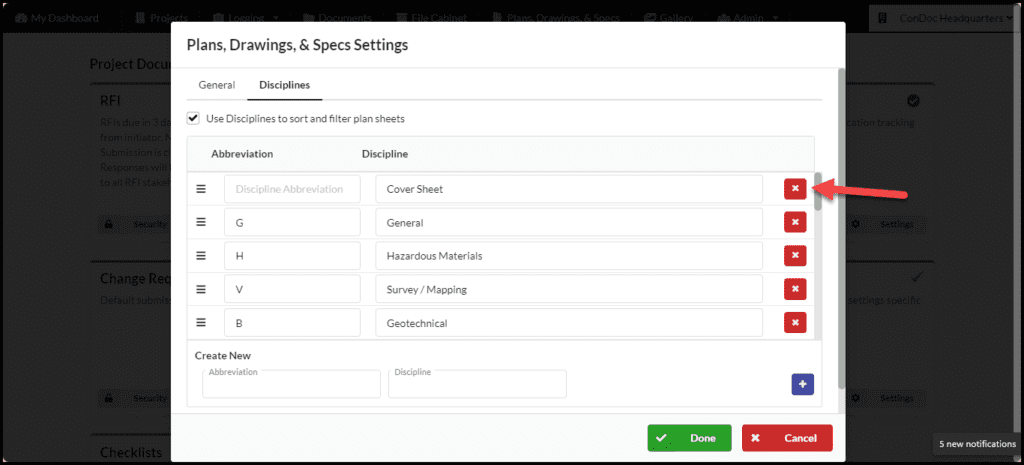
To add a new discipline, type in your Abbreviation and Discipline name.
Click on the blue plus button the add it to your discipline list
When you are finished editing/adding/deleting your disciplines, click on Done to save your changes