
Steps
1. Navigate to Logging > Checklists
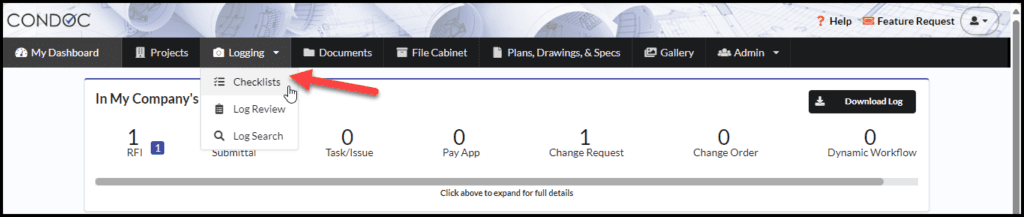
2. Click on the blue plus button next to the checklist you want to create

3. Click on the dropdown to select your answer
If any step fails, a note is required
You can add photo/video attachments by clicking on the paperclip icon or dragging and dropping the attachments
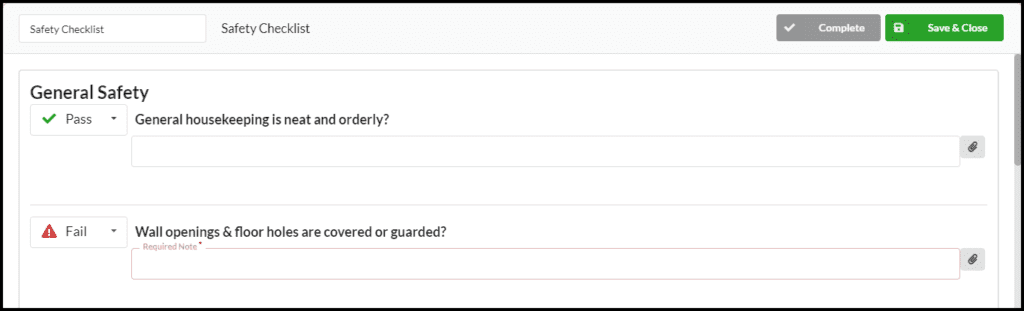
4. Once you are finished filling out your information, you can Save and close the checklist if you are wanting to come back and add more information later, or if you are done, you can press Complete
See Also:
For Administrators:
- How To Create a Checklist Template
- Customize Checklists at the Project Level
- Customizable Checklists
For Users: