Information to know:
You need Company Admin access to create Company Level Agenda Templates.
Creating Company Recurring Meeting Agenda Templates
Steps:
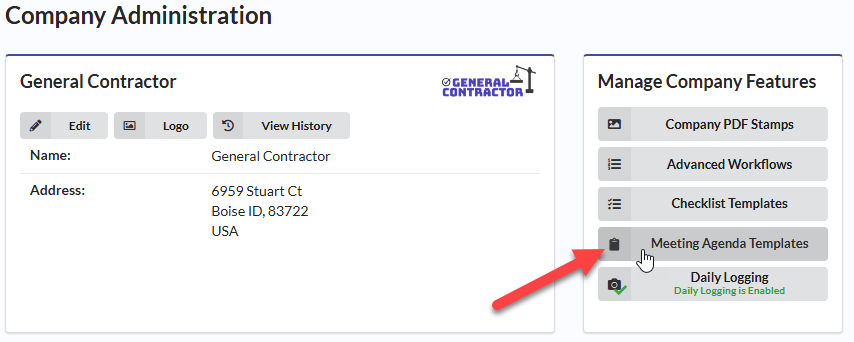
1. Navigate to Company Admin

2. Select Meeting Agenda Templates under Manage Company Features
2. Click the blue “New Meeting Agenda Template.
- Name your meeting template, “OAC Meeting”
- Create your agenda topics
- Be sure to click Done to save your template
Creating a Meeting Minute
Steps:
1. Navigate to Field, Meeting Minutes:

2. Click on the blue + button next to the meeting type you are planning or taking minutes for:

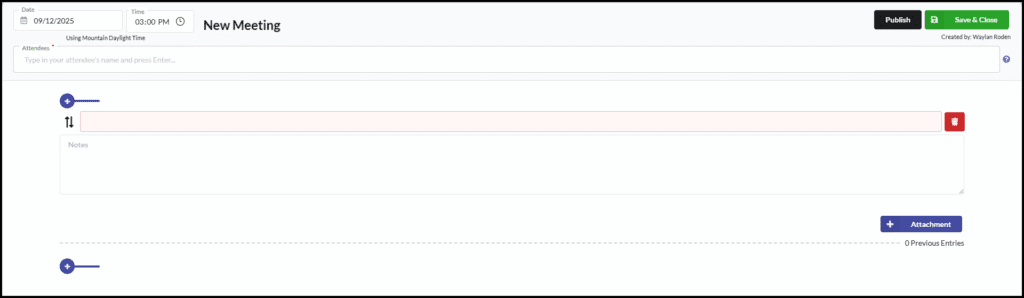
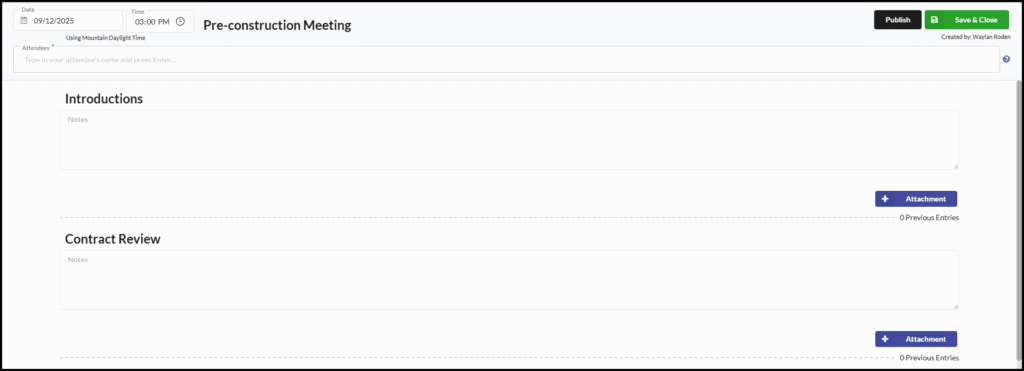
3. Type the names of the attendees. Press the enter button on your keyboard after each name is typed out. Add any notes or attachments to each section as necessary.
4. Once you are finished, you can Publish the meeting. Or, if you aren’t quite done, you can Save your changes and close the document.
Creating a Project-Level, Ad-Hoc Meeting
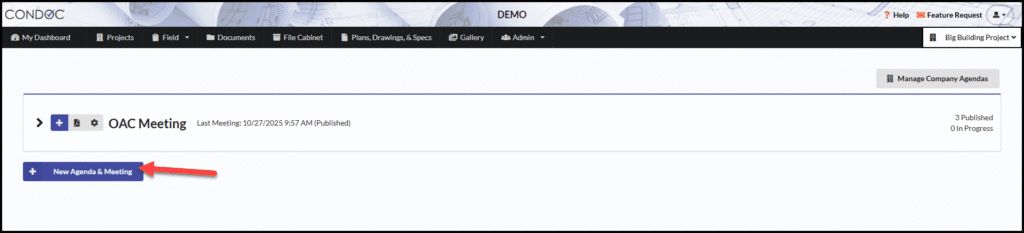
1. Navigate to Field, Meeting Minutes:

2. Click on New Agenda & Meeting:
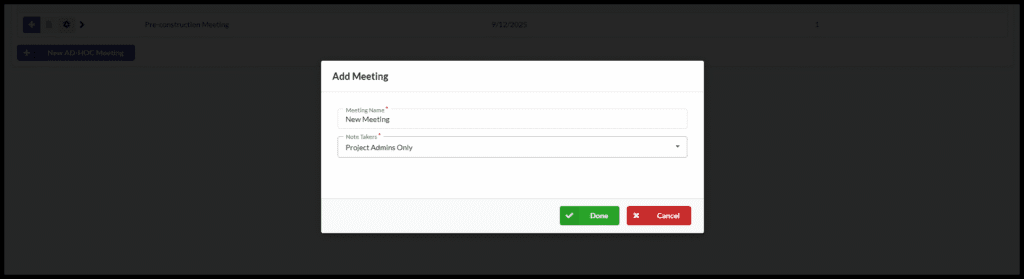
3.Give your meeting a title:
4. Click the drop-down button to select users allowed to take minutes.
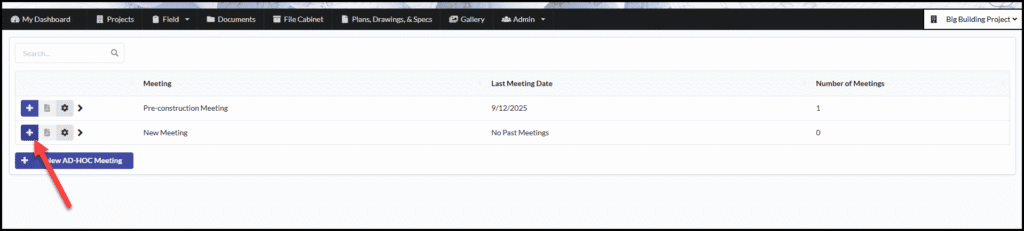
5. Find the Meeting you just created, click the blue + to start recording your minutes.
6. Type the names of the attendees. Press the enter button on your keyboard after each name is typed out. Add any notes or attachments to each section as necessary.
7. Once you are finished, you can Publish the meeting. Or, if you aren’t quite done, you can Save your changes and close the document.